

How to Track Brand Deals Without a Spreadsheet
SocialNest Team
July 8, 2026 · 8 min read
Running a creator business is the dream, right? Until you're drowning in the admin side of brand deals. A simple spreadsheet works at first. You've got a few names, a couple of dates, some dollar amounts. But once your audience starts growing and the inquiries start pouring in, that spreadsheet becomes a total mess—a graveyard of old info, missed follow-ups, and honestly, lost money.
If you've ever had to search three different email threads just to find a contract, you know what I'm talking about. Or that sinking feeling when you realize you forgot to invoice a brand after a post went live. You've outgrown manual tracking. Trying to use static documents in an industry that moves this fast is a recipe for burnout and just makes you look unprofessional. Getting a real workflow isn't just about being "organized," it's about getting your time back so you can actually create things.
That spreadsheet is costing you more than you think
Spreadsheets don't do anything on their own. They're passive. They won't ping you when a draft is due or tell you if a brand even opened your pitch. And they definitely won't help you negotiate better rates by showing you your past performance data. The real "cost" of using a spreadsheet shows up in a few really frustrating ways.
You lose the context of the conversation when all the details are just crammed into a cell. Was that 15% discount code a final thing, or were you still talking about it? Without some kind of reminder system, it's way too easy to let an invoice slide past its due date. You're just leaving money on the table. And if you're not tracking how a partnership went, you'll probably forget to reach out for a renewal six months later, even if the campaign was a huge success.
To actually grow, you need a system that acts like a brain for your business. This is where a real brand deal CRM comes in and turns that chaotic list of names into a pipeline that actually works.
Get all your messages in one place
The biggest headache with tracking deals is how scattered everything is. A brand slides into your Instagram DMs, another fills out the contact form on your site, and a third goes through your agent. It’s a mess.
When you ditch the spreadsheet, the very first thing you need is a unified inbox. You should see every single conversation in one spot instead of jumping between four different apps. This lets you tag conversations by what stage they're in—like "Inquiry," "Negotiation," or "Contract Signed."
Pro Tip
Always link your media kit in your first reply to an inquiry. It cuts down on the back-and-forth and makes you look like a pro from the get-go.A tool like SocialNest can help you automate this part. When a brand shows interest, you can move them into your deal pipeline instantly without having to manually type out their company name and contact info for the thousandth time.
You need to actually SEE your deals
A spreadsheet is a list. A CRM is a map. To track your deals right, you need to see where every single partnership is at a glance. Most full-time creators use a "Kanban" board or some kind of pipeline view.
Here’s what a typical creator pipeline looks like:
| Stage | What you need to do | Priority |
|---|---|---|
| Leads/Inbound | See if the brand's a good fit for your audience. | Medium |
| Pitching | Send your media kit and starting rates. | High |
| Negotiation | Nail down deliverables, usage rights, and the timeline. | High |
| Contracting | Get the legal stuff reviewed and signed. | Critical |
| Content Creation | Filming, editing, all that good stuff. | Medium |
| Approval | Send the draft to the brand for their thoughts. | High |
| Scheduled/Live | Post it and watch the first reactions. | Low |
| Invoicing/Reporting | Send the bill and the final analytics report. | Critical |
When you can see all your deals laid out like this, you immediately spot the bottlenecks. If you've got ten deals stuck in the "Approval" column, you know you need to spend the afternoon bugging brand managers, not filming new TikToks.
Stop forgetting to follow up
Everyone says the fortune is in the follow-up, but it's the first thing we all drop when we get busy. Your spreadsheet isn't going to care that it's been five days since you sent a proposal.
A good tracking system lets you set up simple rules. For example: if a brand hasn't clicked your contract link in 48 hours, the system can flag that deal as "Stalled" or even send a polite, automated nudge for you. It keeps things moving without you having to live in your calendar.
Using AI outreach tools can make this even easier. Instead of staring at a blank email trying to figure out how to ask for a payment without sounding desperate, you can just use a template built for that exact situation.
Where are all the files?
A deal isn't just a name and a price. It's a whole bunch of files—the brief, the mood board, the raw footage, the final edited video, the caption ideas. And spreadsheets are just terrible at handling media.
When you move your tracking into a workspace like SocialNest, all those files live right there with the deal status. When it's time to send a draft for approval, you're not digging through your "Downloads" folder or a messy Google Drive. You just attach the file to the deal card. This creates a history of every single thing you've ever made for a brand, which is so valuable when you're trying to negotiate a long-term ambassadorship.
Use data to get renewals
The final part of a brand deal is the one everyone skips: figuring out what actually happened. Once the content is live and the money is in your account, it's so easy to just move on. But the easiest brand deal to close is a renewal with a brand you already worked with.
Instead of just checking a "Done" box, your tracking system should be able to pull in the analytics for that post.
- What was the reach?
- How many clicks did the link get?
- What were people saying in the comments?
When you have that data right there in your CRM, your follow-up in six months isn't just a random "Hey." It's a pitch. "Hey Sarah, our last collab beat my average engagement by 20%. I'd love to talk about doing something for Q3." That's the kind of stuff that separates hobbyists from six-figure creators.
So why are we talking about SocialNest?
SocialNest isn't just another task manager. It was built specifically to be the hub for a creator's entire business. Other tools might give you a CRM or a scheduler, but SocialNest puts them all together.
When you track a brand deal in SocialNest, it's connected to your unified inbox, your content calendar, and your financial reports. You can drag a deal from "Negotiation" to "Scheduled," and the post will just show up on your content calendar with all the brand's requirements and files attached.
Tip
Use the SocialNest Storefront feature to see which brand deals are actually driving affiliate sales. That gives you so much more leverage in your next rate negotiation.It's time to stop doing everything manually
Okay, switching from spreadsheets does take a little bit of time upfront to get your workflow set up. But the payoff is instant. You stop losing money through missed emails, you stop stressing about deadlines, and you start looking like a serious business partner to brands.
If your current "system" has more than two browser tabs open and you constantly find yourself thinking "Where did I put that?", it's time for an upgrade. Your creative work deserves a system that handles the annoying stuff for you.
Ready to get your business in order?
Stop fighting with rows and columns and start managing your brand deals like a pro. With SocialNest, you can track every deal, automate your outreach, and see your entire creator business in one place. You'll be joining thousands of other creators who've already ditched their spreadsheets for a much smarter way to work.
Start your free trial today and finally take control of your brand partnerships.
Ready to simplify your creator workflow?
Plan, post, and grow across every platform — all in one place.
Start freeRelated articles

How to Repost TikTok Videos to Instagram (and Every Other Platform) in 2026
The creator economy in 2026 is no longer about being "everywhere" through manual labor; it is about being everywhere through strategic distribution. If you are spending hours filming a high-quality…

How to Automate Instagram DMs Without Getting Banned
For many creators, the Instagram Direct Message (DM) folder is where the magic happens. It’s where casual followers turn into loyal fans, where brand deals are negotiated, and where sales are closed.…
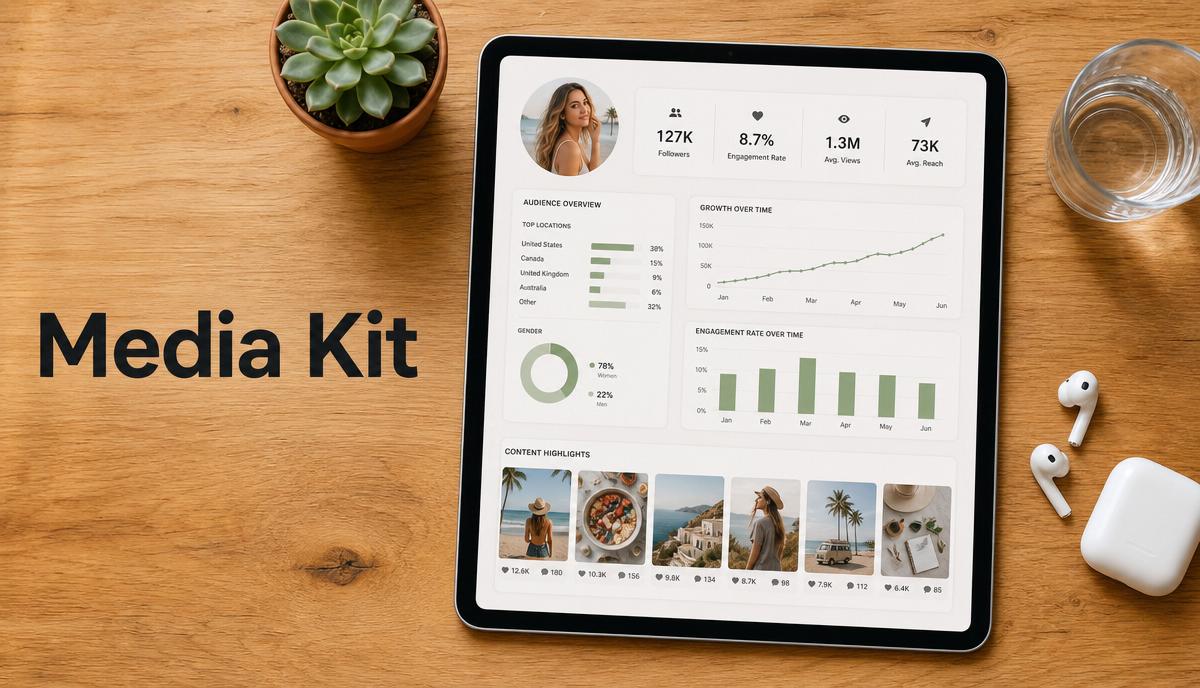
How to Make a Media Kit as a Content Creator (Free Template)
In the creator economy, your media kit is your professional resume, your portfolio, and your sales pitch rolled into one document. As brands shift their budgets from traditional advertising toward…